Balance and money transfers
Use our guide to decide if a balance or money transfer is right for you

What is a 0% balance transfer?
A balance transfer allows you to move part or all of the balance from other credit or store cards to your Virgin Money or Virgin Atlantic Credit Card.
With a 0% balance transfer you’ll then pay it off with no interest for a set period of time. Then you will move to your standard interest rate. A transfer fee will apply.
A 0% balance transfer can help you
- Save on interest
If you’re paying interest on a credit or store card, moving to a 0% balance transfer means you’ll pay no interest. This saves you money and could help you become debt free faster.
- Get things organised
Balance transfers can help you organise your debt in one place, making it easier to manage and keep track of.
- Consolidate your payments
Instead of making several monthly payments to different cards, when you transfer these balances to one card, you’ll only have one monthly payment to make.

Top tips
- Transfer high interest cards first
- This should save you money on interest. You can transfer as many cards as you need, but the total you transfer cannot be more than 95% of your credit limit.
- Pay off your debt faster
- It's best to try and pay as much as you can afford each month. Paying only the minimum payments may take longer and cost more to repay. Setting up a Direct Debit is the best way to stay on track.
- If you need some cash
- Some of our cards come with a money transfer option. You can check your eligibility to see if you’d be offered a promotional rate and fee.
What is a money transfer?
A money transfer lets you move money from your Virgin Money Credit Card to your bank account.
- As an example, if your credit card limit is £5,000
- You can transfer up to 95% of that credit limit to your current account
- That’s a boost of £4,750 into your current account
A money transfer can help you
- Pay for bigger purchases
A money transfer can pay for one-off bigger buys like a car, holiday or some home improvements.
- Get money quickly
Pay for unexpected expenses such as vet bills, car repairs or replacing home appliances with a money transfer.

Key information
If you decide that a balance or money transfer is right for you, there's a few things to be aware of:
- Fees apply
- We charge a one-off transfer fee for making a balance or money transfer. The fee is a percentage of the total amount transferred.
- Promotional rate
- New customers may be offered an introductory promotional rate and fee. This rate starts from account opening and applies to transfers made in the first 60 days. Existing customers may be offered promotional rates, see your offer for details.
- When a promotional offer ends
- We charge the standard interest rate when a promotional offer for a balance or money transfer ends, or is withdrawn. If you miss a minimum monthly payment, the promotional offer will be withdrawn. After this, we’ll charge the standard interest rate.
- Can you transfer?
- You can do a balance transfer from a UK credit card or store card that has a Visa or Mastercard logo. You cannot do a balance transfer from another Virgin Money Credit Card.
You can do a money transfer to a UK bank or building society account. You should not use your card to repay borrowing from Virgin Money.

Ready to transfer?
Once you have your Virgin Money Credit Card it's easy to make a balance or money transfer in the app
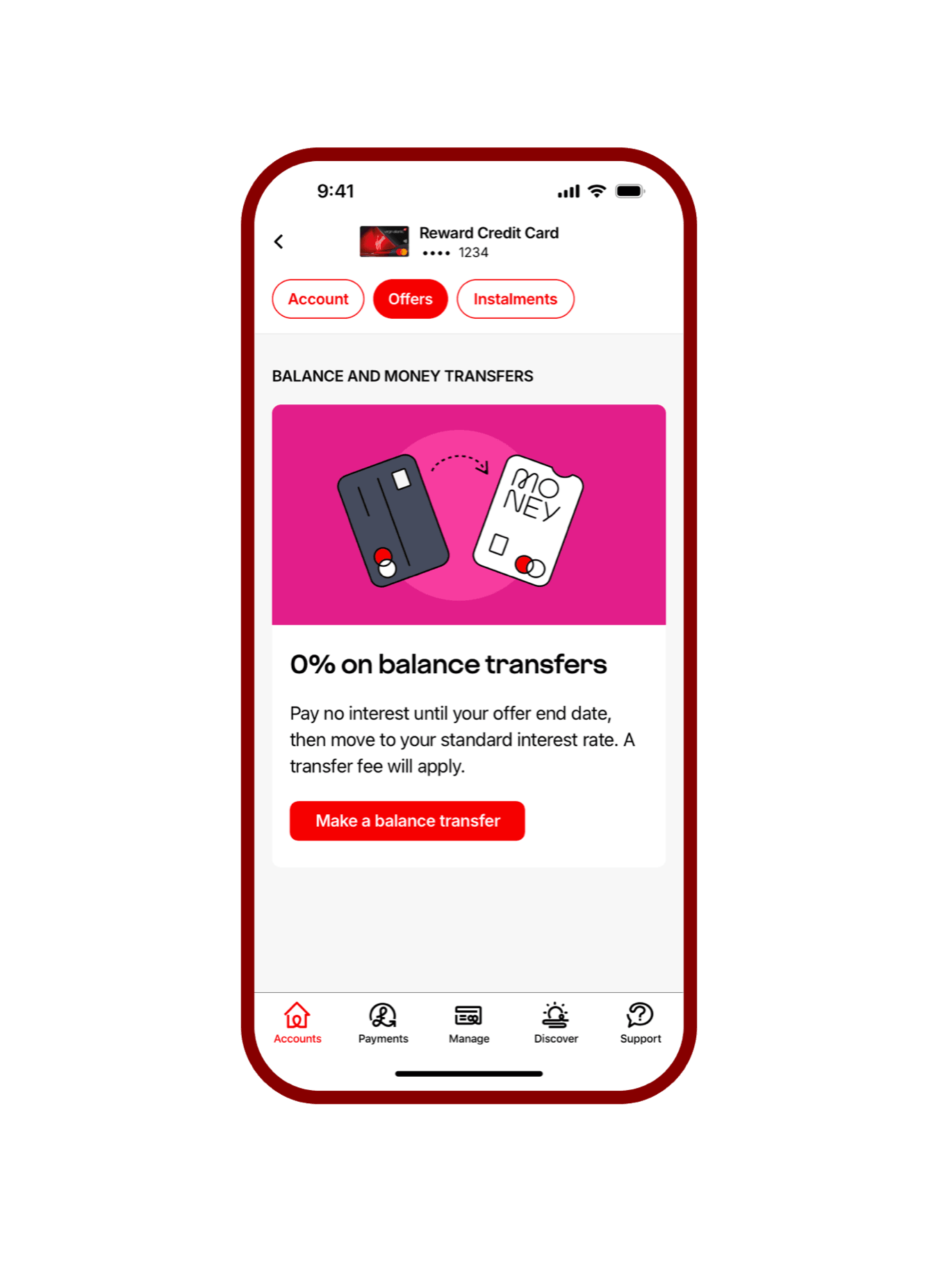
- Head to the Virgin Money Credit Card app
- Select your card and then tap 'Offers'
- Tap 'Make a balance transfer' or 'Make a money transfer' and follow the steps
A transfer usually takes 2 to 3 working days if no extra checks are needed.

iOS 14.7 and above

Android 8 and above
Apple Pay is a trademark of Apple Inc., registered in the U.S. and other countries. App Store is a service mark of Apple Inc., registered in the U.S. and other countries.
Google, Google Play and Google Pay are trademarks of Google LLC.
Check your eligibility
Want a Virgin Money Credit Card? Use our card checker
- know your chances of being accepted
- you'll see your minimum credit limit on pre-approved cards
- it won't affect your credit score
To manage your card, you'll need the Virgin Money Credit Card app.
Check your eligibility