
3 Steps to be ready
HMRC introduces new digital tax reporting rules for many in 2026, so it’s time for those yet to do so to get ready. If you are one of the UK’s 2.7m self-employed or 800,000 landlords with property income, this could mean you.
If you’re confused, unsure about what’s involved or unaware of the changes, you are not alone. While 33.3% of sole traders in one recent survey said they were “very aware” or “aware” of the changes and their roll out, 43.8% were “unaware” or knew nothing at all.
Remember, you should always seek professional advice tailored to your specific personal circumstances. This is not tax, legal or financial advice.
So, here’s what you need to know and do.
What’s happening?
The new digital tax reporting rules, known as Making Tax Digital for Income Tax (MTD for IT), require the self-employed and landlords (or the accountants working for them) to use HMRC-compatible software to manage their tax records – keeping up to date digital records and filing quarterly income and expenses updates to HMRC as well as an annual declaration.
Those that don’t comply risk penalties.
Why the change?
MTD for IT is part of HMRC’s wider digital transformation plans. MTD for VAT, impacting VAT-paying business owners, has already been introduced.
A major driver is the need to reduce mistakes in tax filings, which according to one estimate cost the Exchequer over £9bn each year in lost tax revenue that could otherwise be spent on public services.
HMRC will be able to take better-informed actions – tailoring payments on account to current circumstances, for example.
The change also includes the introduction of a new penalty regime. This will reduce the risk of financial penalties for the occasional slip. It will also make penalties more proportionate to the amount of tax owed and length of time taken to pay.
Taxpayer benefits include replacing old paper-based systems, upgrading record-keeping – making it simpler, quicker and more secure, and helping people have a clearer view of their finances to better plan ahead.
What to do
If you’ve not already done so, now is the time to prepare. Here’s how:
Step 1: Understand if, how and when MTD for IT could impact you.
MTD for IT will be based on your gross annual income from self-employment and property (before expenses, allowances, and tax deductions). Compliance is mandatory if all of the following apply:
- you are a sole trader or landlord registered for Self-Assessment
- you receive income from self-employment or property, or both
- you have more than £20,000 of qualifying income
‘Qualifying income’ is your total income in a tax year from self-employment and property. You can find an explanation of qualifying income, how HMRC will assess it, and whether you are eligible for MTD here.
The roll out of MTD for IT is being phased. When you need to start using MTD for IT depends on your qualifying income for a tax year:
- £50,000 or above for the 2024–2025 tax year: you will need to submit your tax information digitally from 6 April 2026
- £30,000 or above for the 2025–2026 tax year: you will need to submit your tax information digitally from 6 April 2027
- £20,000 or above for the 2026–2027 tax year: the government plans to introduce legislation to lower the qualifying income threshold, meaning more people will need to comply in the future.
Step 2: Tool up.
You will need to use HMRC-compatible software to replace non-compatible software you might already be using and or paper-based systems. You can check which software is HMRC compatible on Gov.UK here.
Most compatible accounting software packages are cloud-based subscription services that carry a monthly fee of around £10-£20.
Features that simplify and speed up admin tasks will help you identify possible errors early so you can correct them before sending your tax return. They will also help you understand any tax reliefs and allowances you may be able to claim to support your business growth.
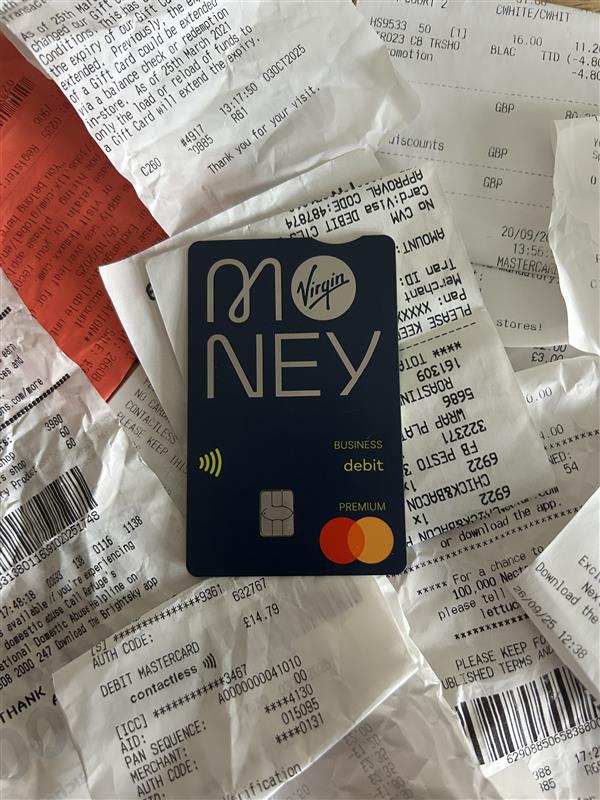
Check if your bank or building society has any offers on HMRC-compatible software. Virgin Money’s M Account for Business, for example, is an online business current account with no monthly fees and includes six months free Xero accountancy software.
If you are one of the 63% of UK sole traders using a personal current account for both business and personal transactions , consider setting up a separate business account to separate your finances.
A separate business account makes it quicker to collate the relevant data for your tax returns as you don’t have to separate your personal and business expenses.
It also makes things simpler as you won’t need to explain personal expenses to your accountant when going through your records. Deductible expenses are easier to trace. And should HMRC audit you, having clean separate records makes the process smoother.
So, talk to your bank or building society about how setting up a business account could benefit you.
Switching to an online tax management and filing system requires access to a reliable internet connection. If you are digitally excluded – if you have unreliable broadband, for example, or a disability prevents you from using computers – you can apply for exemption.
You can find the HMRC’s current guidance for MTD for IT exemption here.
Step 3: Get going.
Start your digital record keeping now, as well as your quarterly reporting of income and expenses. This will also prepare you when it comes to submitting your tax return digitally from the appropriate year.
This is not tax, legal or financial advice. The content in this article was accurate at the time of publishing. We are not responsible for content on third party websites.
Tell ABAB Report 2023-4. (Source: Administrative Burdens Advisory Board, September 25, 2024 Link opens in a new window.)
‘Making Tax Digital for Income Tax.’ (Source: Gov.uk Link opens in a new window.)
‘Should I use a personal bank account for my small business?’ (Source: Smallbusiness.co.uk, May 8 2024 Link opens in a new window.)